
When organic traffic rises and calls, form fills, and sales stay flat, the extra visits usually come from people who were never likely to buy, such as people who already knew your name, people looking for free information, or bots. The other common explanation is that leads are arriving, but nothing records that those people found you through Google search, so the report shows traffic without leads. You can tell which is happening with tools you already have: Google Search Console, Google Analytics, and your own record of who called or wrote in.
findanseoagency.com judges SEO work by the calls, form fills, and sales it brings in. Traffic is useful for finding out why those numbers are or aren’t moving, but a rise in traffic on its own doesn’t show that SEO is working.
Why is organic traffic up but leads are not?
Organic traffic goes up without leads going up when the extra visitors were never likely to become customers, when their leads are not being counted, or when they can’t easily get in touch. These are the usual causes:
- Searches for your business name. More people searched for you by name, often after a referral, a mailing, press coverage, or an ad. They already knew you, so SEO did not create that demand.
- Searches for information. The new visitors wanted an answer to a question, not a company to hire.
- Bots. Some visits are automated programs that Google Analytics didn’t filter out.
- Leads that aren’t counted. People call or fill in the form, but nothing records that they found you through Google.
- No route to contact you. The pages that gained traffic don’t lead to a service page, a form, or a phone number.
- AI answers. Google’s AI Overviews and AI assistants such as ChatGPT answer some questions on the spot, so fewer people click through to websites on searches where an AI answer appears. Your total traffic can still rise if other pages on your site gain visits at the same time.
- Lower demand. Fewer people are searching for what you sell, because of the season or a slow year, even if your general articles keep gaining readers.
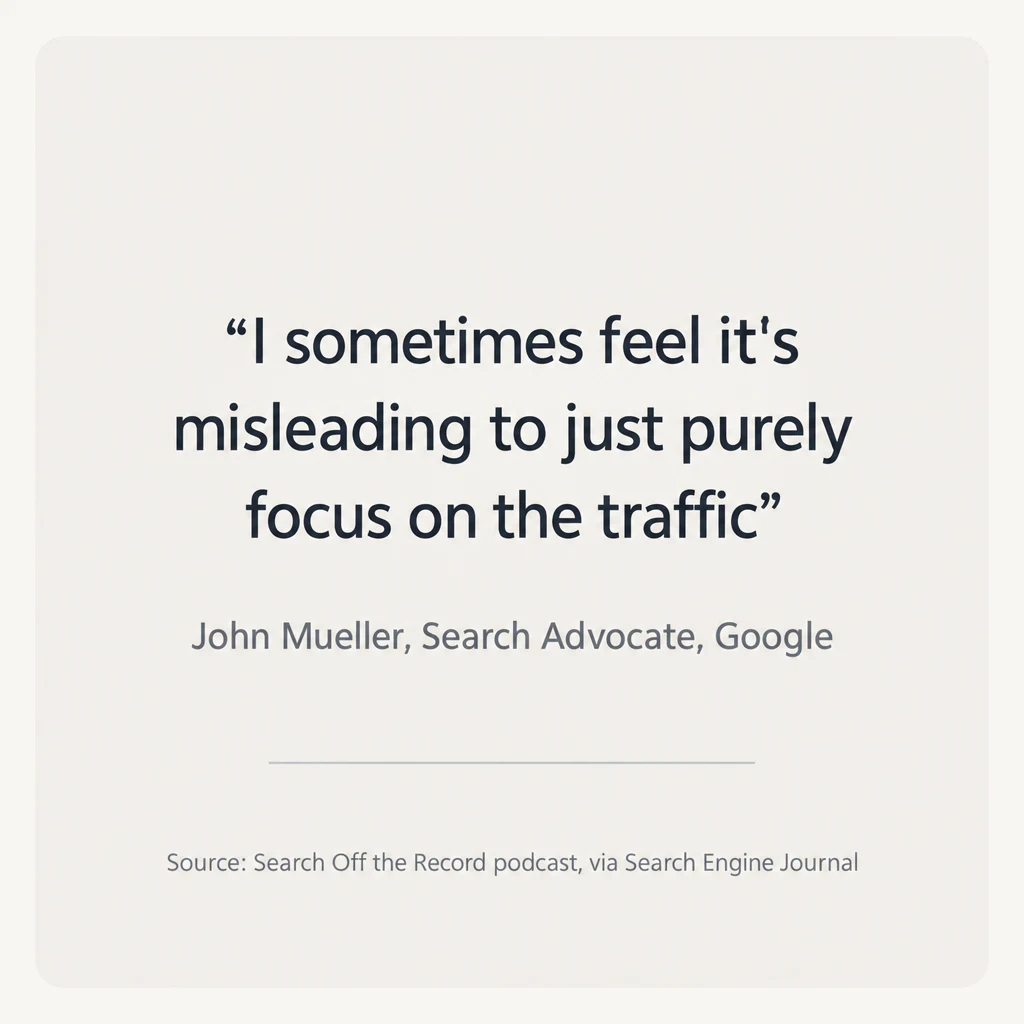
More than one cause can apply at once. Each one shows up differently in Search Console, Google Analytics, or your own lead records, so you can check them one at a time before you take the question to your agency. Traffic on its own can’t tell you which cause applies. John Mueller, a Search Advocate at Google, said as much on Google’s Search Off the Record podcast: “I sometimes feel it’s misleading to just purely focus on the traffic” (Search Engine Journal).
Is the growth coming from searches for your business name?
Growth in searches for your business name is the first thing to rule out, because those visitors were already looking for you. Someone who types “Harbor Dental” into Google after a friend recommends it would have found the site without any SEO work. If most of the traffic increase is branded, the likely cause is whatever made more people aware of you, such as press coverage, ads, referrals, or a mailing. This is also how you answer the question of whether the increase came from SEO or from your PR and advertising.
Search Console can show the split in a few minutes:
- Open the Performance report. If you see the branded queries filter, set it to “Non-branded.” The filter appears only if the site gets enough searches and your Search Console account covers the whole domain rather than a single subdomain or folder. Google also notes that “some queries may occasionally be misidentified,” so treat the split as close rather than exact.
- If you don’t see the filter, add a query filter set to “Queries not containing” and type your business name. To exclude several spellings at once, choose “Custom (regex)”, change the setting from “Matches regex” to “Doesn’t match regex”, and type the spellings separated by a vertical bar, such as harbor dental|harbour dental.
- Click the date setting at the top of the report, choose Compare, and set the months when traffic rose against the same months a year earlier. The results table then shows a Difference column for each search.
If total clicks rose while non-branded clicks stayed flat, the growth came from people who already knew your business.
Is the traffic from people who are not looking to buy?
Traffic from people who want information rather than a provider is a likely cause when the pages that gained the most visits are blog posts. A roofing company’s article on how long a roof lasts can attract homeowners who are simply curious, renters, students, and readers in places the company doesn’t serve. They are real people, and very few of them are about to call a roofer.
Search Console shows which pages and searches the growth came from:
- Pages. In the Performance report, compare the period when traffic rose with an earlier one, open the Pages tab, and sort by the change in clicks. Note whether the pages that grew are service pages or blog posts.
- Searches. Click a page that grew, then open the Queries tab. Searches that start with “what,” “how,” or “why,” or include words like “free,” “DIY,” “jobs,” or “salary,” usually come from people who are not hiring.
- Locations. The Countries tab, with the same comparison, shows whether the growth came from places you don’t serve.
Google Analytics then shows whether those pages bring in leads. In Analytics, the actions you count as leads, such as a form submission or a click on your phone number, are called “key events.” The Landing page report, filtered to Organic Search (Analytics’ name for visits from unpaid search results), lists visits and key events for each page. Pages with many visits and no key events are where the traffic is growing without bringing in business.
The fix for this cause is usually in the content plan. For a business buying SEO, the pages that bring leads are written for people close to a decision: service pages, pricing and comparison pages, and answers to the questions buyers ask before they hire. If most of the new content is general how-to posts, traffic will grow faster than leads.
Is some of the traffic bots?
Some of the traffic may be bots, and the quickest way to tell is to compare Google Analytics with Search Console. Search Console counts only clicks from Google’s search results. If the organic search visits in Analytics climb while Search Console clicks stay level, the extra visits probably did not come from people searching Google. Other signs are a burst of visits from one city or country you don’t serve, visits that last a second or two, and many visits landing on a single page.
Analytics already removes known bots, meaning those on Google’s own list and an industry list. Bots that aren’t on those lists still get through and appear in your reports.
Are leads coming in but not being counted?
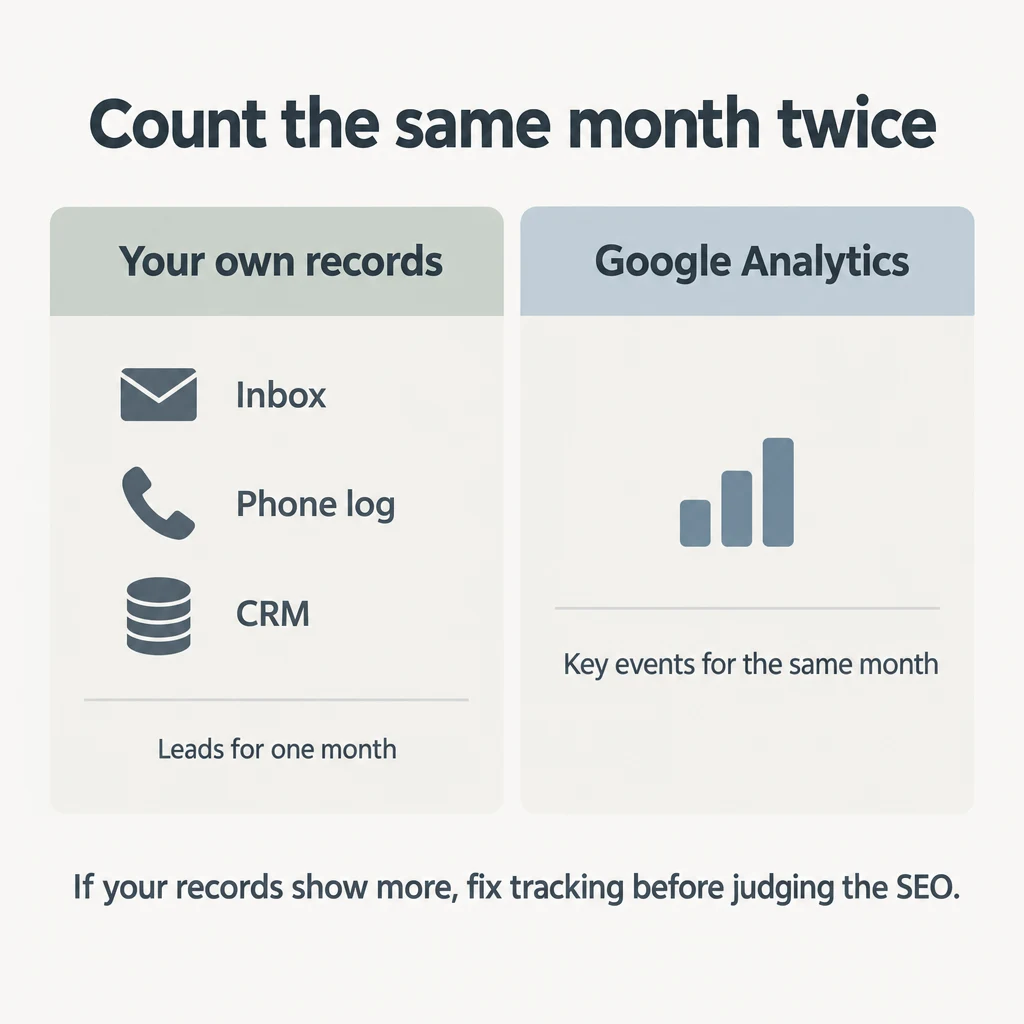
Leads from organic search can arrive without anything recording that they came from search. Google Analytics, call tracking, and your CRM are the tools that record which source each lead came from. If a form submission or call from a Google searcher isn’t recorded, or is filed under another source, the report shows traffic with no leads even though the phone rang. To find out, take the number of leads in your inbox, phone log, or CRM for a month and compare it with the key events Analytics recorded for the same month. If your own records show more, tracking is the problem to fix before anyone judges the SEO.
Tracking can break in several places:
- The form isn’t tracked. A website redesign or a new form plugin can stop the form from sending a key event to Analytics without anyone noticing. Submit a test enquiry yourself, then check the next day that Analytics recorded it as a key event.
- Calls aren’t tracked. Without call tracking, a call from someone who found you on Google looks the same as every other call. Call tracking shows a different phone number on the site depending on how the visitor arrived, and records which source led to each call.
- Business Profile calls are undercounted. Google Business Profile, your listing in Google Search and Maps, keeps its own count of calls. That count covers only “the number of times a customer clicked on the call button”, so someone who copies your number and dials it isn’t counted. The profile’s figures also don’t appear in your site analytics.
- The CRM lead source is wrong. When staff choose the lead source from a dropdown, they may guess if the caller doesn’t say how they found you. When new leads default to “Website” or “Other,” leads from organic search end up filed there instead.
- Organic visits are recorded as Direct. Analytics files a visit under Direct when it “doesn’t have a clear referral source,” meaning it can’t tell where the visitor came from. Google lists ad blockers among the causes, so a visitor who found you on Google can still be recorded as Direct.
Can visitors find a way to contact you from the pages that grew?
Visitors can’t become leads if the page they land on gives them no obvious next step. A blog post that answers a question and then ends, with no link to the related service and no phone number in view, sends interested readers back to Google to find someone else.
To check, take the pages that gained traffic in Search Console and show no key events in Analytics, and open each one on your phone. See whether you can find a phone number or a form, or reach the related service page in one tap. If you can’t, adding that route is a small change to the page.
Are AI answers in Google taking clicks from your pages?
AI answers can mean that people read a summary at the top of Google’s results and don’t visit your site, so a page can keep its ranking and still get fewer clicks. Search Console shows this as searches where your impressions held steady or rose while your clicks fell. An impression is one appearance of your page in someone’s search results, whether or not they click. To see whether those lost clicks are costing you leads, click one of those searches in Search Console and open the Pages tab to see which of your pages it brings up. Then find those pages in the Analytics Landing page report and compare their key events with the same months a year earlier. If those pages now bring in fewer key events, and your general articles keep gaining readers at the same time, total traffic can rise while leads stay flat.
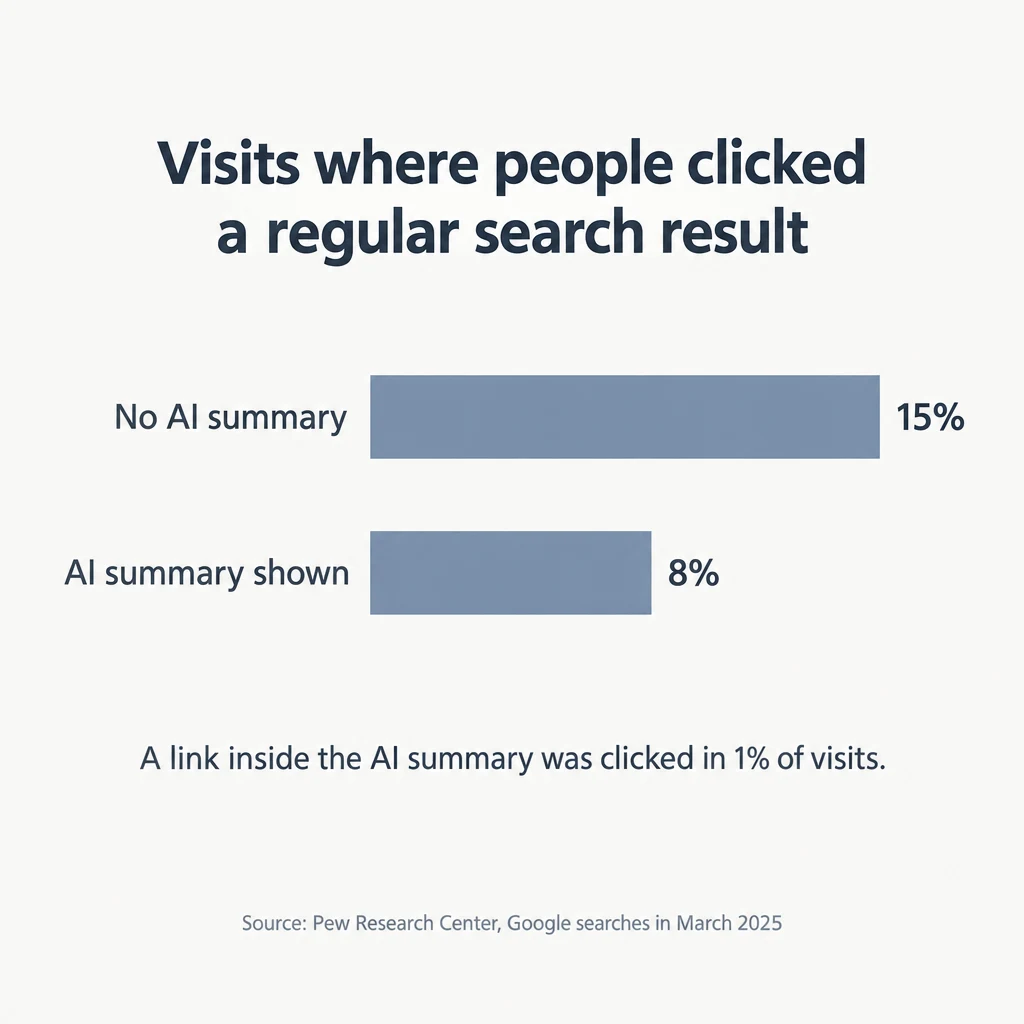
Studies have found that people click through to websites less often when an AI summary appears. In Pew Research Center’s study of Google searches in March 2025, people clicked a regular search result in 8% of visits when an AI summary appeared, against 15% when none appeared. They clicked a link inside the AI summary itself in 1% of visits (Pew Research Center). Ahrefs, which sells SEO software, found that when an AI Overview appears, the top-ranked page gets a 58% lower clickthrough rate on average, meaning a smaller share of the people who see it click on it (Ahrefs, February 2026).
Google’s own account differs from these studies. Liz Reid, head of Google Search, wrote that total clicks from search to websites have been “relatively stable year-over-year” (Google). She also said the clicks are of higher quality. By quality clicks, Google means visitors who “don’t quickly click back” to the results, which says nothing about whether they become customers.
Google Analytics can’t show how many of your visits came through AI answers in Google, because it counts clicks from AI Overviews and AI Mode (Google’s conversational search) as ordinary Organic Search. Visits from AI assistants such as ChatGPT and Gemini appear in a separate AI Assistant channel when the assistant passes on where the visitor came from, and in Direct when it doesn’t.
If AI answers are taking clicks from pages that used to bring in leads, the next step is getting your business cited and recommended in those answers, which is part of the same SEO work. How to get recommended by AI search covers that side of it.
Has demand for what you sell dropped?
Demand may have dropped if fewer people are searching for what you sell, because of the season or a slow year. Traffic can still rise in that case, because your general articles keep drawing readers while fewer people search for the service itself. In Search Console, compare impressions for your main non-branded searches with the same months a year earlier. A fall across most of them points to lower demand rather than a problem with the site. Google Trends shows how interest in a search term rises and falls over time, though only for popular terms.
How to tell which cause applies
| Cause | What you see | Where to check |
|---|---|---|
| Searches for your business name | Total clicks up, non-branded clicks flat | Search Console Performance report, branded filter or “Queries not containing” your name |
| Searches for information | Growth on blog posts, question-style searches, or countries you don’t serve | Search Console Pages, Queries, and Countries tabs with a date comparison; Analytics Landing page report |
| Bots | Analytics visits up while Search Console clicks stay level; very short visits; one location | Analytics compared with Search Console |
| Leads not counted | Your inbox, phone log, or CRM shows more leads than Analytics | Analytics key events, call tracking, CRM lead source, Business Profile calls |
| No route to contact you | Pages with many organic visits and no key events | Analytics Landing page report, then the page itself on a phone |
| AI answers | Impressions steady or up while clicks fall; visits in AI Assistant or Direct | Search Console date comparison by search; Analytics AI Assistant and Direct channels |
| Lower demand | Impressions down across your main non-branded searches | Search Console impressions; Google Trends |
What to ask your SEO agency for
Ask your agency for the number of leads that came from organic search and how each one was counted. A request that covers it has five parts:
- The calls, form fills, and bookings from organic search for the month.
- Where each figure comes from: Analytics key events, call tracking, or your CRM.
- How many came from searches for your business name and how many from other searches. Only the second group shows SEO bringing in people who didn’t already know you.
- Which pages the leads came from.
- Which of the seven causes the agency thinks explains the gap, and what it plans to change.
If the report says “conversions” without saying what they are, ask what is being counted. In Google Analytics, a “conversion” now means an action set up to measure Google Ads campaigns, so the number may not match the leads you count. If you also want to check the rest of the agency’s work and what its monthly report should contain, is my SEO agency doing the work? covers both.
What if you sell B2B or SaaS with a long sales cycle?
For B2B and SaaS companies, lead quality and pipeline matter more than the number of leads in a month. A business purchase involves 13 people on average, according to Forrester’s 2024 research, and a decision with that many people takes time. A prospect who reads your comparison page this spring may become a deal months later, and one month’s lead count won’t show it. Lead count can also rise with leads that will never buy, such as students, job seekers, and competitors. The more useful figure is how many organic leads became qualified opportunities. To get it, your CRM needs to record, for each lead, the channel that first brought them to you, such as organic search, ads, or a referral. The count of organic leads that became opportunities then needs to cover a period at least as long as your usual sales cycle, so deals that close months after the first visit are included.
What if your SEO agency can’t explain the gap?
An agency that can’t say which of these causes applies, or answers a question about leads with more traffic and ranking charts, has not shown that the work is producing customers. The fair sequence is to run the checks yourself, take the results to the agency, and give it the chance to answer with numbers. If it still can’t explain the gap, that is the point to decide whether to keep paying, and whether SEO is worth it for your business in its current form. The strategy guides on findanseoagency.com cover the other questions that come up when you judge an agency by leads rather than traffic.