
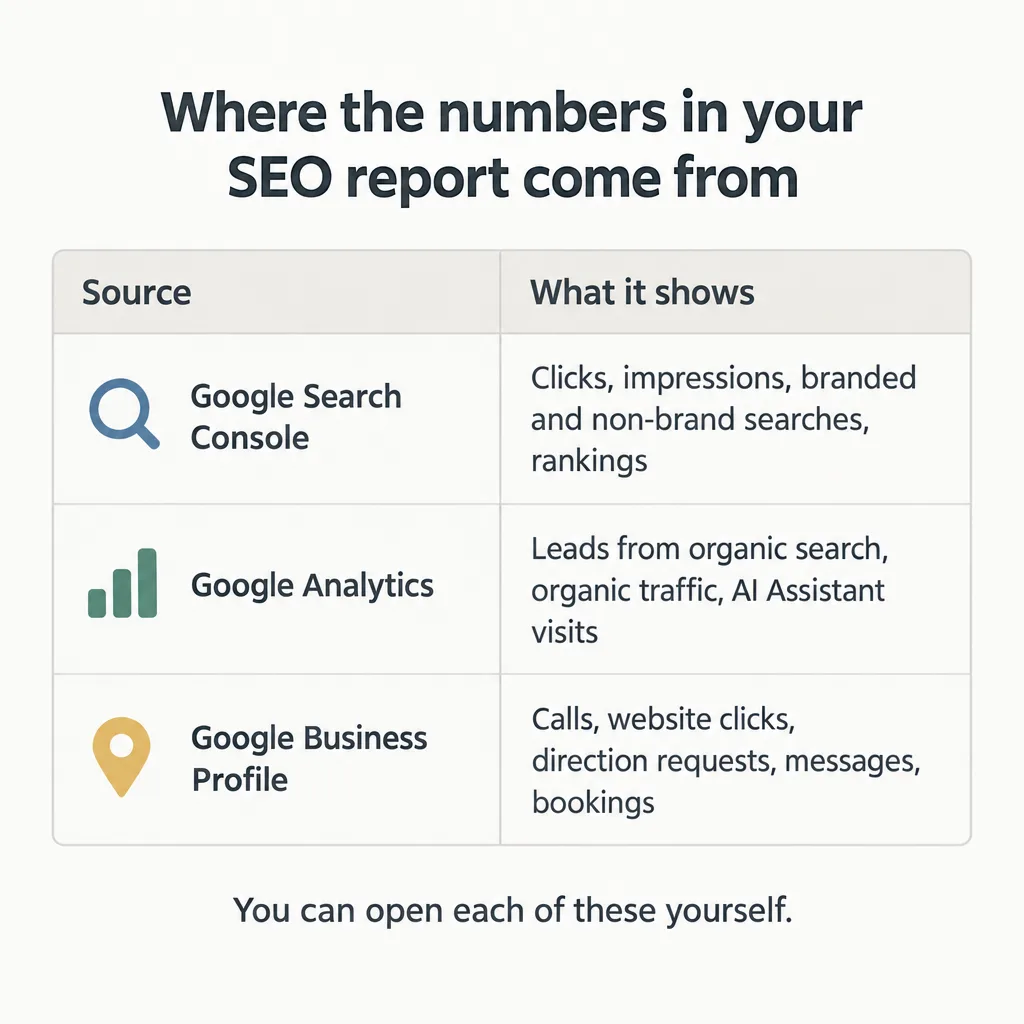
A monthly SEO report should tell you how many leads came from organic search and how they were counted, which searches brought new people to your site, what work was done (with page URLs and dates), what changed in AI search, and what happens next month. Rankings and traffic belong in the report too, but as supporting detail, not as the headline. Almost every number in a good report comes from a source you can open yourself: Google Search Console, Google Analytics, or Google Business Profile. That means you can check it.
findanseoagency.com publishes guides for business owners and marketing managers who hire and evaluate SEO agencies.
What are the parts of a good monthly SEO report?
A complete report has these parts, roughly in this order:
- A short written summary
- Leads from organic search
- Searches for your business name vs other searches
- Google Business Profile results (local businesses)
- AI search
- A work log
- Next month’s plan
- Rankings and traffic
Each number should be compared with the month before and with the same month last year, because many businesses are seasonal. Search Console keeps 16 months of data, so the same month last year is always available to compare against.
What should the summary at the top say?
The report should open with a few plain sentences that say what changed this month, why it changed, and what it means for your business. A reader who stops after the summary should know whether things are going well. If you have to read through pages of charts to work that out, the report has handed you data and left the interpretation to you.
The analytics author Avinash Kaushik put it this way in a 2008 post on dashboards: “If you want your Executives / Customers to take action, you have to give them information and not data.” For most businesses paying for SEO, the numbers worth putting in the summary are leads from organic search and clicks from searches that don’t include the business name.
Leads from organic search, and how they were counted
The report should give the number of leads that came from organic search this month. For a service business, that means phone calls, form submissions, and bookings. The report should also explain how each type of lead was counted, because there are three common sources and each one counts something different:
- Google Analytics key events. A key event is Google Analytics’ name for an action that matters to your business, such as a form submission. Some reports still use the older name for the same thing, “conversions.” Whichever word the report uses, it should say which actions it counts, because the label can cover things you wouldn’t call a lead, like a click on an email link or a visit to the contact page.
- Call tracking. Call tracking connects each phone call to the source that produced it, usually by showing a different phone number to visitors from different sources. Without it, nobody can say how many calls came from organic search.
- Your CRM. If your sales team records where each lead came from, the CRM’s lead source field is often the most reliable count, because a person has looked at each lead.
You can check the form-fill number yourself. In Google Analytics, the Traffic acquisition report (Reports, then Acquisition, then Traffic acquisition) lists each channel, including Organic Search, with a Key events column next to it. If the agency’s number is far from what you see there, or far from what you know arrived in your inbox and on your phone, ask where the difference comes from. Google Analytics counts a spam form submission the same as a real inquiry, so its number can be higher than the inquiries you actually received.
If traffic is rising and leads aren’t, that’s a separate problem with its own causes, covered in SEO traffic but no leads.
Lead numbers for B2B and SaaS companies
B2B and SaaS companies should ask for lead numbers further down the sales process, because a form submission is a long way from revenue. The useful stages are demo requests, free trial signups, qualified leads, and closed customers that started as organic visits. Google Analytics has a Lead acquisition report (Reports, then Acquisition, then Lead acquisition) that shows new leads, qualified leads, and converted leads by channel. Each stage shows up in that report only if it’s sent to Google Analytics as its own event. A form on your website can send new leads to Google Analytics by itself. Qualified leads and closed deals are usually recorded in your CRM, so they appear only if someone connects the CRM to Google Analytics. Ask the agency whether your site and CRM are set up that way. If they aren’t, your CRM can show the qualified leads and closed deals that came from organic search. Either way, the report should say which stage each number represents.
Searches for your business name vs everything else
The report should split searches for your business name (branded searches) from all other searches (non-brand searches). For each group it should show clicks and impressions (how often your site appeared in the results, whether or not anyone clicked). The split matters because people who search your name already know about you. They may have heard about you from a referral, seen a mailer, or been customers before. Growth in branded searches is good news, but it usually comes from your reputation and marketing, not from SEO. Non-brand searches are the ones that show SEO finding you new customers.
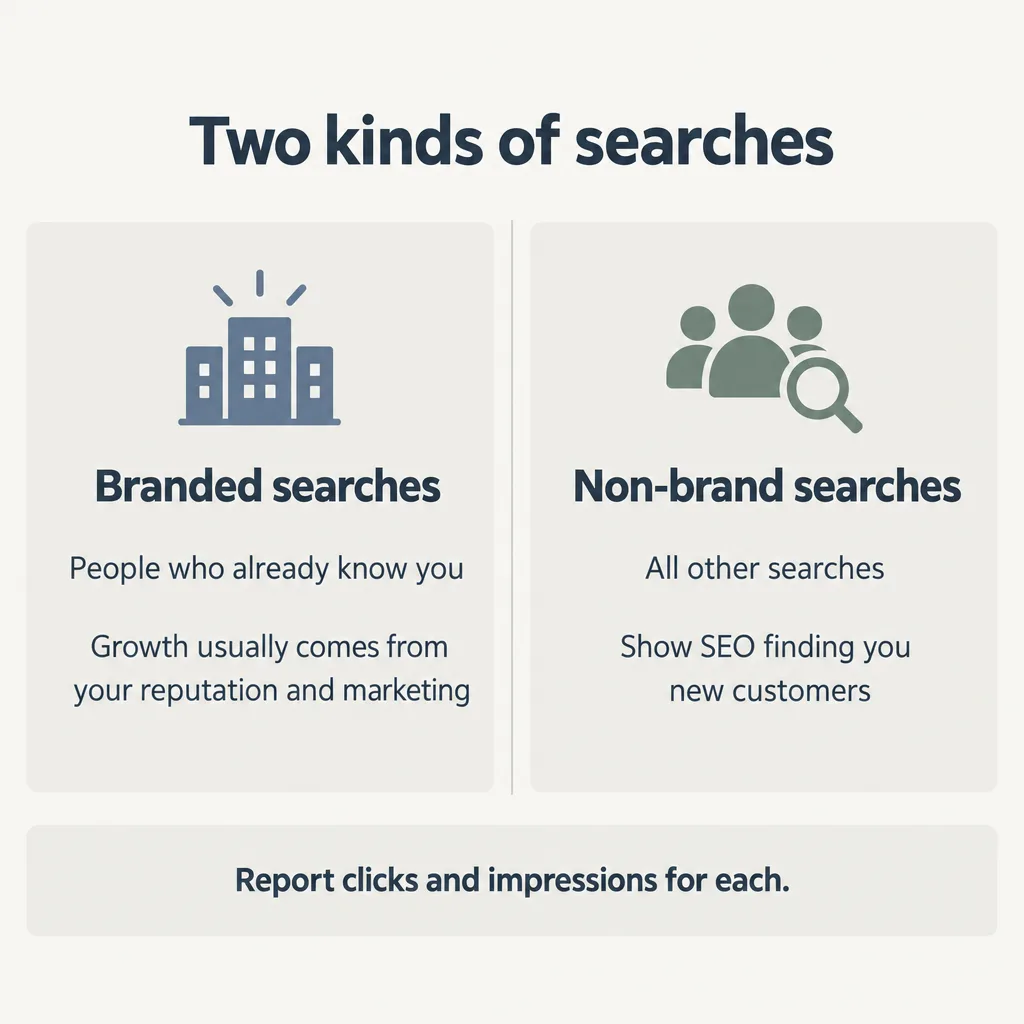
Search Console can do this split for you. It has a branded queries filter that sorts searches into Branded and Non-branded views. The filter may not appear for every site, especially smaller ones, because Google only shows it to sites with enough searches. Google decides which searches count as your brand. It also says some searches may occasionally land in the wrong group, so the two numbers are close but not exact.
If your site doesn’t have the filter, the agency can do the same job by hand: in Search Console’s Performance report, filter out searches that contain your business name and its common misspellings. That method also works as a cross-check on Google’s filter.
Google Business Profile results for local businesses
Local businesses should see a short Business Profile section, because many customers call or ask for directions straight from Google Search and Maps without ever visiting the website. Business Profile’s performance metrics include calls, website clicks, direction requests, messages, and bookings, along with the search terms people used to find the business. The report should show these for the month and compare them with earlier months.
The calls number counts only taps on the call button on your profile. Someone who reads your number off the profile and dials it by hand isn’t part of that count. Treat the calls figure as a trend to watch, and compare it with your own call records.
How should an SEO report show AI search?
An SEO report should show whether AI assistants mention your business when people ask them the questions your customers ask. A useful AI search section includes:
- a fixed list of prompts (the questions put to the AI assistants), kept the same from month to month so the results can be compared
- which assistants were checked, such as ChatGPT, Google’s AI Mode, and Perplexity
- how often your business appeared, as a percentage of runs (each prompt is asked many times, because AI answers change from one run to the next)
An AI assistant can recommend a business by naming it in the answer, or cite one of the business’s pages by linking it as a source. A recommendation puts your business’s name in the answer itself. A citation lists your page as a source, which the person may or may not click. Because these are different results, the report should say which one it’s counting.
AI answers vary a lot from one run to the next. In a January 2026 SparkToro study, about 600 volunteers put the same 12 recommendation questions to three AI tools (ChatGPT, Claude, and Google’s AI), running each question 60 to 100 times. The answers almost never repeated. Whatever the question, the chance of getting the same list of brands twice was less than 1 in 100.
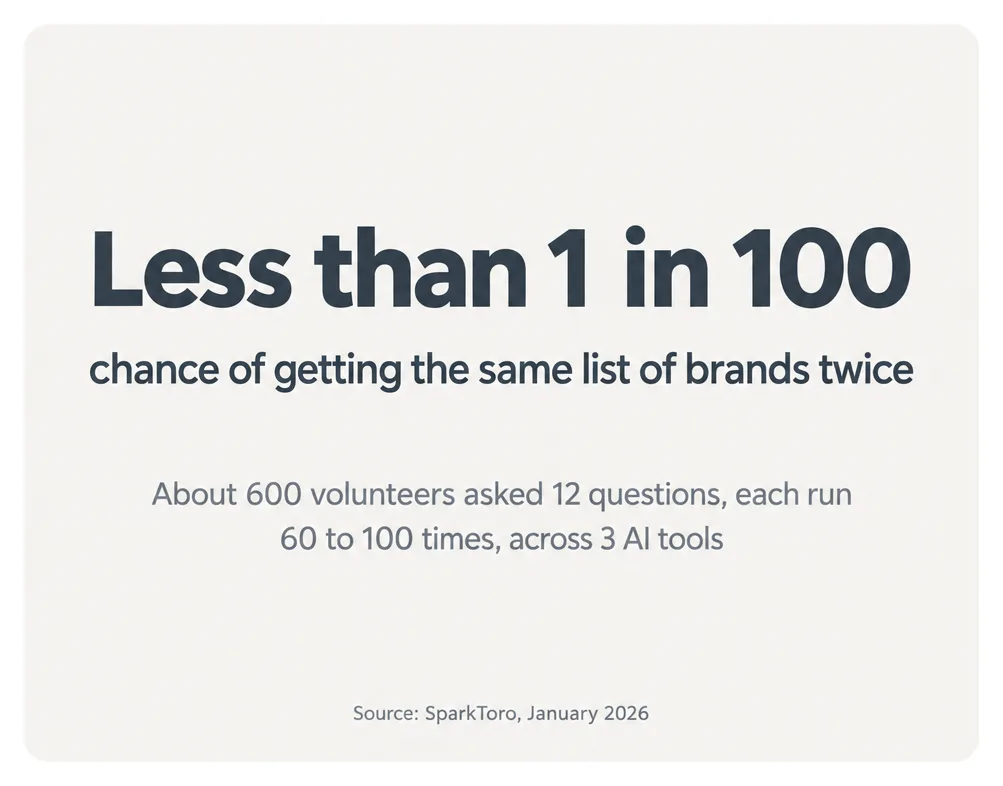
Rand Fishkin, who ran the study, concluded that the percentage of runs in which a business appears is a sound measure: “visibility % across dozens to hundreds of prompts run multiple times is a reasonable metric.” Some tools claim to report where a business ranks in AI answers. Fishkin wrote that “any tool that gives a ‘ranking position in AI’ is full of baloney.” Because the answers keep changing, a single screenshot of one AI answer proves very little, whether your business appears in it or not.
Clicks from Google’s AI answers are counted in the same reports as ordinary search clicks. Google has two kinds of AI answers: AI Overviews, the AI-written summaries at the top of some search results, and AI Mode, a separate search mode where people ask questions in conversation. Google says Search Console counts clicks from both together with ordinary Google search clicks. Google Analytics also includes those visits in its Organic Search channel, so neither tool can give a separate number for clicks from Google’s AI answers in search. AI assistants used outside Google Search are counted differently. Google Analytics puts visits from tools such as ChatGPT, Gemini, and Copilot in its own AI Assistant channel. You can see that row yourself in the Traffic acquisition report. How a business gets recommended in the first place is covered in how to get recommended by AI search.
How should the report show the work that was done?
The report should list every piece of work done during the month: each page published or changed, each technical fix, and each mention or link earned on another site, with the URL and the date. This is the part of the report that shows what you paid for. Google’s own list of questions to ask an SEO includes this one: “Will you share with me all the changes you make to my site, and provide detailed information about your recommendations and the reasoning behind them?”
URLs matter because they let you check the work. You can open a new page and read it, or look at a site that supposedly mentioned you. A list of activities with no URLs (“optimized content,” “built links,” “technical improvements”) can’t be checked by anyone. A Hacker News commenter described a company whose vendor reported link counts that nobody there checked: “The vendor handed in a report with rankings updates and number of links added every month, but nobody at the company was tracking the individual links and keeping track of the vendor’s behavior.” The links turned out to be spam. The company then received Google penalties, which cost a site visibility in Google’s search results.
What should next month’s plan include?
The report should end with what the agency will do next month: the specific pages it will write or change, the fixes it will make, and the mentions it will pursue, each with a short reason. A plan that names pages gives you something to check against next month’s work log. A plan that repeats last month’s wording, or says “continue optimization,” gives you nothing to hold the agency to.
Where do rankings and traffic fit in an SEO report?
Rankings and traffic belong in the report, but below leads and non-brand searches. They help explain why the lead numbers moved. The rankings worth reporting are the ones for searches your customers actually type. A table of top positions for terms nobody searches, or for phrases that include your business name, looks good and says little. Technical audit scores, site health scores, and backlink counts can go in this section as context. None of them shows leads or customers on its own.
Why don’t the report’s numbers match my Analytics?
Search Console and Google Analytics will almost never show the same numbers, and that’s normal. Search Console counts what happens on Google before someone reaches your site, such as clicks from search results. Google Analytics counts what visitors do once they arrive, such as sessions. Google’s own explanation of the difference says the data “won’t match completely,” but “the general trends and patterns should be similar.” If one tool shows growth and the other shows a decline over the same months, ask the agency why. When you look at the most recent days, keep in mind that Search Console’s newest data can be preliminary and may still change. Preliminary data shows as a dotted line on the Performance report chart in Search Console. Search Console data can also arrive a couple of days late.
Monthly SEO report checklist
| Report part | What it should contain | Where the number comes from | What a missing or vague part signals |
|---|---|---|---|
| Summary | A few sentences on what changed, why, and what it means; the few numbers that matter to the business | The other parts of the report | You’re left to interpret the data yourself |
| Leads | Calls, form fills, and bookings from organic search; how each was counted; vs last month and last year | Google Analytics key events, call tracking, CRM lead source | Nobody can tell whether SEO brings customers; “conversions” may not mean leads |
| B2B and SaaS leads | Demo requests, trials, qualified leads, and closed customers from organic search | CRM; Google Analytics Lead acquisition report | Form fills are reported as if they were sales pipeline |
| Branded vs non-brand searches | Clicks and impressions for each, over time | Search Console branded queries filter, or a query filter on your business name | Growth may come from people who already knew you |
| Business Profile (local) | Calls, website clicks, directions, messages, and bookings | Google Business Profile performance | Calls, website clicks, and direction requests from your profile on Google Search and Maps go unreported |
| AI search | Fixed prompt list, assistants checked, how often named or cited across repeated runs | Mentions: the agency’s tracking (ask for the prompt list). Visits: Google Analytics AI Assistant channel | No AI search work is being done, or the agency shows one screenshot instead of results across repeated runs |
| Work log | Every page published or changed, every fix, and every mention, with URL and date | The agency; you can open each URL | The work can’t be checked |
| Next month’s plan | Specific pages, fixes, and mentions, with reasons | The agency | There’s nothing to hold next month’s work against |
| Rankings and traffic | Positions for terms customers search; organic traffic trend | Search Console, Google Analytics | If this is the whole report, it shows numbers that look good but not whether SEO brings customers |
How to ask your agency for a better report
Start by holding this month’s report against the checklist and checking two or three numbers yourself in Search Console, Google Analytics, or Business Profile. Then send the agency the requests that apply:
- Put a short written summary at the top that says what changed this month and why.
- Report leads from organic search each month (calls, form fills, bookings, or demo requests and trials), and explain how each was counted.
- Compare each key number with last month and with the same month last year.
- Split branded and non-brand searches, and say whether you used Search Console’s branded filter or a query filter.
- Show AI search results for a fixed list of prompts, with the prompts, the assistants checked, and how often the business was named or cited.
- List every page published or changed, every fix, and every mention, with the URL and date.
- Name the specific pages and fixes planned for next month, with the reason for each.
- Confirm that the Search Console and Google Analytics accounts belong to the company, not the agency, so the company keeps its data if it changes agencies. Give someone at the company owner access in Search Console and administrator access in Google Analytics.
If you’re also wondering whether the work itself is real, is my SEO agency doing the work? covers account ownership, red flags, and what an agency should be doing each month.
What if the agency won’t change the report?
If an agency won’t report leads, the searches that brought them, and the work it did, that’s a reason to think about whether to keep paying, because without those parts you can’t tell whether the work is happening or whether it’s producing results. findanseoagency.com’s strategy section has more guides on judging and managing an SEO agency, including whether SEO is worth it and how agencies compare with freelancers and in-house teams.